
82 lines
3.5 KiB
Markdown
82 lines
3.5 KiB
Markdown
|
|
# Hospital Management
|
|

|
|
---
|
|
## screenshots
|
|
### Homepage
|
|

|
|
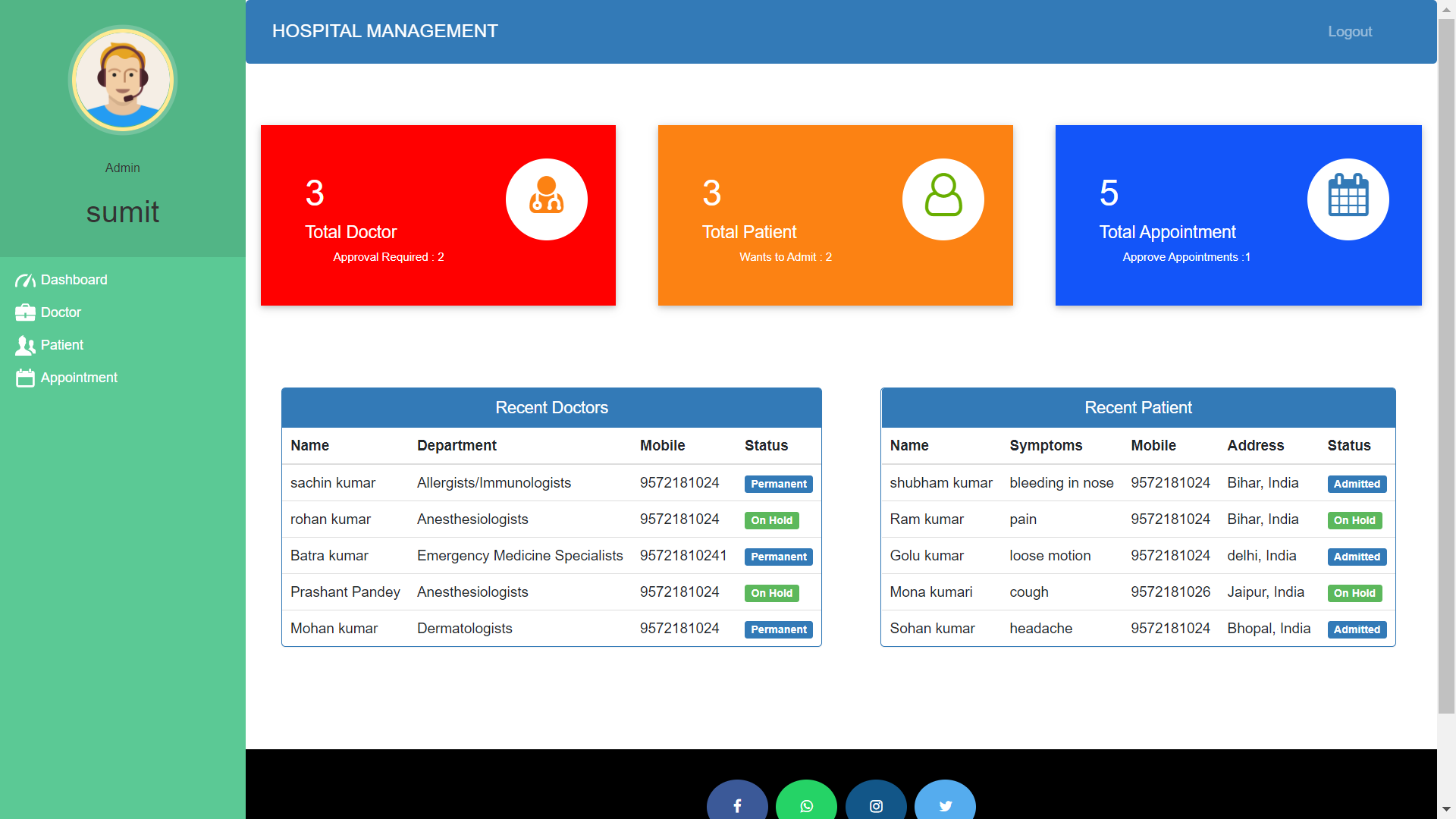
### Admin Dashboard
|
|
|
|
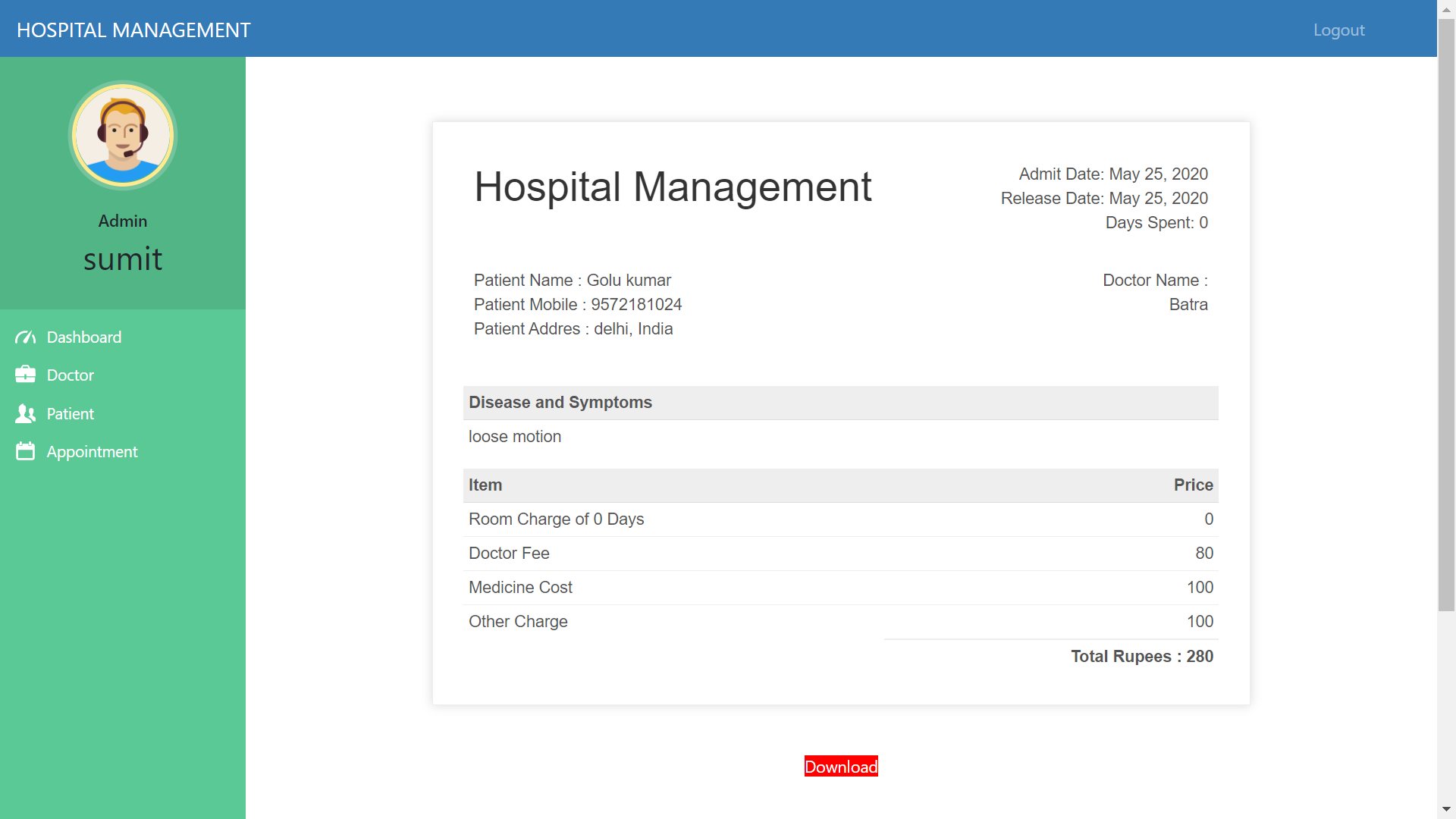
### Invoice
|
|
|
|
### Doctor list
|
|

|
|
---
|
|
## Functions
|
|
### Admin
|
|
- Signup their account. Then Login (No approval Required).
|
|
- Can register/view/approve/reject/delete doctor (approve those doctor who applied for job in their hospital).
|
|
- Can admit/view/approve/reject/discharge patient (discharge patient when treatment is done).
|
|
- Can Generate/Download Invoice pdf (Generate Invoice according to medicine cost, room charge, doctor charge and other charge).
|
|
- Can view/book/approve Appointment (approve those appointments which is requested by patient).
|
|
|
|
### Doctor
|
|
- Apply for job in hospital. Then Login (Approval required by hospital admin, Then only doctor can login).
|
|
- Can only view their patient details (symptoms, name, mobile ) assigned to that doctor by admin.
|
|
- Can view their discharged(by admin) patient list.
|
|
- Can view their Appointments, booked by admin.
|
|
- Can delete their Appointment, when doctor attended their appointment.
|
|
|
|
### Patient
|
|
- Create account for admit in hospital. Then Login (Approval required by hospital admin, Then only patient can login).
|
|
- Can view assigned doctor's details like ( specialization, mobile, address).
|
|
- Can view their booked appointment status (pending/confirmed by admin).
|
|
- Can book appointments.(approval required by admin)
|
|
- Can view/download Invoice pdf (Only when that patient is discharged by admin).
|
|
|
|
---
|
|
|
|
## HOW TO RUN THIS PROJECT
|
|
- Install Python(3.7.6) (Dont Forget to Tick Add to Path while installing Python)
|
|
- Open Terminal and Execute Following Commands :
|
|
```
|
|
pip install django==3.0.5
|
|
pip install django-widget-tweaks
|
|
pip install xhtml2pdf
|
|
```
|
|
- Download This Project Zip Folder and Extract it
|
|
- Move to project folder in Terminal. Then run following Commands :
|
|
```
|
|
py manage.py makemigrations
|
|
py manage.py migrate
|
|
py manage.py runserver
|
|
```
|
|
- Now enter following URL in Your Browser Installed On Your Pc
|
|
```
|
|
http://127.0.0.1:8000/
|
|
```
|
|
|
|
## CHANGES REQUIRED FOR CONTACT US PAGE
|
|
- In settins.py file, You have to give your email and password
|
|
```
|
|
EMAIL_HOST_USER = 'youremail@gmail.com'
|
|
EMAIL_HOST_PASSWORD = 'your email password'
|
|
EMAIL_RECEIVING_USER = 'youremail@gmail.com'
|
|
```
|
|
- Login to gmail through host email id in your browser and open following link and turn it ON
|
|
```
|
|
https://myaccount.google.com/lesssecureapps
|
|
```
|
|
## Drawbacks/LoopHoles
|
|
- Any one can be Admin. There is no Approval required for admin account. So you can disable admin signup process and use any logic like creating superuser.
|
|
- There should be at least one doctor in hospital before admitting patient. So first add doctor.
|
|
- On update page of doctor/patient you must have to update password.
|
|
|
|
## Disclaimer
|
|
This project is developed for demo purpose and it's not supposed to be used in real application.
|
|
|
|
## Feedback
|
|
Any suggestion and feedback is welcome. You can message me on facebook
|
|
- [Contact on Facebook](https://fb.com/sumit.luv)
|
|
- [Subscribe my Channel LazyCoder On Youtube](https://youtube.com/lazycoders)
|